Nitsuko 384i. Параметры соединения и формат данных SMDR/CDR
Выбор правильного модуля-парсера для Nitsuko 384i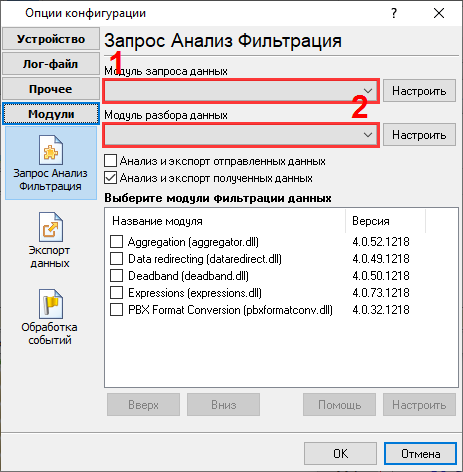
Nitsuko 384i Nitsuko 384i Данные, извлекаемые PBX Data Logger
Интересуют отчеты об использовании АТС?Мы предлагаем утилиту PBX Reports с разнообразными ручными и автоматизированными отчетами, с возможностью вывода на печать, в файлы Excel или PDF, или отправкой по электронной почте, встроенный веб-сервер, и другие возможности. Смотрите тут Нужна история звонков в базе данных?Это стандартная функция нашего логгер, который получает и экспортирует данные SMDR или CDR в реальном времени в вашу базу данных. Проследуйте по ссылке Замечание: Продукты и компании, указанные здесь используются только для обозначение и идентификации и могут быть торговыми и/или зарегистрированными марками соответствующих компаний. |
|||||||||||||||||||||||||||||||
|
Copyright © 1999-2024, AGG Software. All rights reserved. Условия использования | Конфиденциальность |